
Skip to navigation Skip to main content
Best Academy For CA | CS | CMA Courses
8007916622 | 8007916633
0 items
Sign in Create an Account

Lost your password?

Call Us 8007916622 | 8007916633
Sign in Create an Account

Lost your password?

0 items ₹0.00
  • Home
  • CA
    • Chartered Accountant (CA)
    • CA Foundation
    • CA Inter
  • CS
    • Company Secretary (CS)
    • CSEET/CS Foundation
    • CS Executive
    • CS Professional
  • CMA
    • Cost and Management Accountant (CMA)
    • CMA Foundation
    • CMA Inter
    • CMA Final
  • 11th / 12th
    • 11th & 12th (HSC)
    • 11th & 12th (CBSE)
  • Global Courses
  • Books
    • CMA Inter Books
    • CS Executive Books
  • Test Series
  • Faculty
  • Resources
    • Download App
    • E-Library
    • Rankers
    • Testimonials
    • Gallery
    • Web Stories
    • FAQ
  • Blogs
  • About Us
  • Contact

Blog

Home/Company Secretary
Company Secretary, CSEET

How to log in to Smash & E- Learning Portal of ICSI- Reset Password Guide

Posted by author-avatar Unique Academy For Commerce
19/09/2026
On 14/02/2022
How to log in to Smash & E- Learning Portal of ICSI- Reset Password Guide
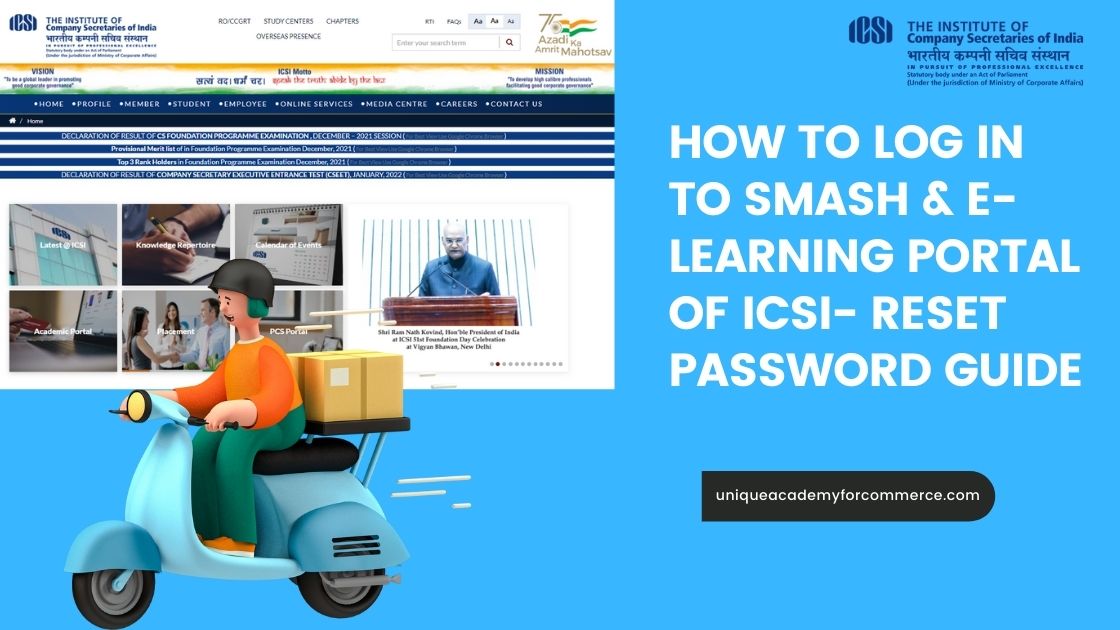
The Company Secretary Course is offered by the Institute of Company Secretaries of India. It is basically a distance learning course, although very popular among the commerce students. It is a professional course which is not only a reputed one but is very lucrative in terms of salary.

Students who are interested to pursue this course have to undergo different stages of examinations along with some practical training sessions.

The different stages of examination includes the following-

  • CSEET Entrance
  • Executive Programme
  • Professional Programme
  • Management Training

Launch of various options regarding reset password for ICSI Foundation, Executive and Professional Students

Let us now study about the series of steps required for resetting the password

StepsRequirements
Step 1Double click web browser to open and type URL https://smash.icsi.in/Scripts /login.aspx in the web browser (recommended web browser Internet explorer 9 or above, Google Chrome 39 or above, Mozilla 38 or above) address bar.
Step 2Click on Forgot Password link under USER LOGIN section on the portal login page.
Step 3On the Forgot Password page enter USER ID and Verification Code and click on the Submit button.
Step 4Enter following fields and click on Submit button: 1. Registration Number (Your current course registration number) 2. Date of Birth 3. Country 4. Mobile (Your Registered Mobile No.) 5. Email ID
Step 5Check your registered email id or phone number and enter the OTP code and click on the Submit button. If OTP expires click on the Resend button. Check your email or phone to re-enter the OTP again and click on Submit button
Step 6Create Password page: Follow password instruction to create new password and click on submit button: 1. Enter Password 2. Confirm Password Message displayed: “Password Changed Successfully.”

Following are some of the important instructions given by ICSI for the students for operating with this portal

1. Reset password from URL www.icsi.edu

  • Click on “Online Services” link from the homepage.
  • From Student tab click on “Click here for Forgot Password” link.
  • Under User Login section click on “Forgot Password” link. Now follow above steps.

2. Enable popup window of your web browser before following above steps.

3. In step 3, User Id is the first ICSI course registration number.

4. In step 4, Registration Number is the current course registration number.

5. In step 4, Mobile and Email Id (address) is your registered mobile and email with ICSI.

6. OTP expires in 15 minutes. Click on Resend button in case OTP expires and follow step 5.

Now lets study all these steps in detail

Step 1

The student has to double click the web browser. The recommended browsers include 

  • Internet explorer 9 or above, 
  • Google Chrome 39 or above, 
  • Mozilla 38 or above

Following is the picture of the browser when you will enter the details-

How to log in to Smash & E- Learning Portal of ICSI- Reset Password Guide

Step 2

  • After this, the student has to click the Student tab click on “Click here for Forgot Password” link. Page redirects to user login page.
  • Under the USER LOGIN section click “Forgot Password” link as shown in below screen.
How to log in to Smash & E- Learning Portal of ICSI- Reset Password Guide

Step 3

After this the student will go to the Forgot password screen

As soon as the student clicks on the Forgot Password link below screen will be displayed to enter valid User ID and verification code.

How to log in to Smash & E- Learning Portal of ICSI- Reset Password Guide

Note: User ID is the first registered course registration number in ICSI.

For example:

1. If you have ever registered in the foundation course of ICSI then foundation registration number will be your User Id.

2. If you have directly registered in executive course of ICSI then executive

registration number will be your User Id.

After this the student will be required to click on the Submit button.

Step 4

After entering valid user id below screen will be displayed to reset the password

How to log in to Smash & E- Learning Portal of ICSI- Reset Password Guide

After entering the valid field information in above fields, student click on “Submit” button as in above screen.

Step 5

  • Forgot Password OTP verification page:
  • Check registered email or mobile phone to enter the OTP code.
  • Enter the OTP code in “Enter OTP” field as in below screen and click on Submit button.

Note: OTP (one time password) is valid only for 15 minutes. Click on Resend button to get OTP again; in case it expires click on Resend the OTP. Enter resent OTP code in. Enter OTP field and click on Submit button.

How to log in to Smash & E- Learning Portal of ICSI- Reset Password Guide

Before reading further check out these posts:

CSEET Answer Key 2022 Answer Sheet, Solved Paper Download

CS Executive Registration Step by Step Process | ICSI New Registration Procedure

Step 6

Creation of Password

Once the successful verification of OTP is done, following screen will be displayed which will show you , how to reset the passwords. 

How to log in to Smash & E- Learning Portal of ICSI- Reset Password Guide

After this, the student has to click on the “Submit” button in above screen after successful creation of the password. A popup window will appear on the page as in below screen which will state that password has been successfully changed.

How to log in to Smash & E- Learning Portal of ICSI- Reset Password Guide

Final Step

Click on “OK” or x-out icon to close the popup window, and login to the account with valid user id and changed password through URL https://smash.icsi.edu/scripts/login.aspx

Read More

CS June 2026 Preparation Strategy: Complete 3 Month Study Plan 

CS Professional Passing Percentage June 2025, All India Rankers, Qualifying Marks
How Sheetal Vibhute Scored AIR 14 in CS Executive? | Study Plan + Unique Academy Support
Admit card for CSEET being held on 9th July 2022, steps to download
CSEET Exam Mistakes 2026
How to Prepare GST for a CS Professional?
CA CS CMA What Should I Go For?

How to log in to SmashReset Password Guide
Newer
CS Training Structure 2022- New Rules & Regulations
Back to list
Older CSEET Answer Key 2022 Answer Sheet, Solved Paper Download
Close

Browse by course

CA
  • CA Foundation 66
  • CA Inter 17
  • CA Final 10
  • Chartered Accountant 65
CS
  • CSEET 89
  • CS Executive 92
  • CS Professional 28
  • CS Foundation 11
  • Company Secretary 94
CMA
  • CMA Foundation 47
  • CMA Inter 39
  • CMA Final 11
  • CMA 56
More topics (16)
  • Study Practices 5
  • Company Law 3
  • Practical Subject CS Executive 3
  • CFA 2
  • Tax Law 2
  • JIGL 2
  • SBEC 2
  • EBCL 2
  • Global Courses 1
  • CA 1
  • MBA 1
  • Security Law 1
  • Test Series 1
  • Slaw 1
  • FM 1
  • 12th Commerce 1
CS Course CSEET

Free CSEET video lectures plus full classroom and online batches.

Explore course

More on this course

  • CS Foundation Registration 2026–27 dates, fees and process CS Foundation Registration 2026–27: Dates, Fees & Process 21 Sep 2026
  • CS Foundation Eligibility 2026 guide covering age, qualification and direct entry requirements for Company Secretary students. CS Foundation Eligibility 2026: Age, Qualification & Direct Entry 17 Sep 2026
  • CS Foundation course details 2026–27 with Business Law, Accountancy and Economics study materials CS Foundation Course Details: Complete Guide for 2026–27 16 Sep 2026
  • JIGL Case Laws and Concepts preparation guide for CS Executive with law books, case-law notes and legal study setup JIGL Case Laws and Concepts: CS Executive Preparation Guide 14 Sep 2026
  • How to Make CS Executive Short Notes for Law Subjects with JIGL and ECIPL Revision Techniques How to Make CS Executive Short Notes for Law Subjects? 12 Sep 2026

Unique Academy for Commerce

India's trusted commerce coaching institute for CA, CS & CMA — 18+ years of building invincible professionals.

Since 2012, we've guided students from Foundation to Final with practising-professional faculty, structured material and regular tests. Learn at our Pune centre or online — same faculty, same material.

CA Courses
  • Chartered Accountant (CA)
  • CA Foundation
  • CA Intermediate
CMA Courses
  • Cost and Management Accountant (CMA)
  • CMA Foundation
  • CMA Inter
  • CMA Final
CS Courses
  • Company Secretary (CS)
  • CSEET
  • CS Executive
  • CS Professional
Commerce
  • 11th/12th HSC
  • 11th/12th CBSE
Quick Links
  • About Us
  • Faculty
  • Rankers
  • Testimonials
  • E-Library
  • Download App
  • Blog
  • FAQ

Contact


  • 8007916622 / 8007916633

  • uniqueacademy2012@gmail.com
  • Shop No 25, Kumar Prestige Point, Thorle Bajirao Peshwe Rd, near Chinchechi Talim, behind BSNL Telephone Exchange, Sathe Colony, Shukrawar Peth, Pune, Maharashtra 411002
  • Mon – Sat: 10 AM – 7 PM

Get Location

© A A Technology. All Rights Reserved. Designed and Developed By Hooterbux.

Terms & ConditionsPrivacy PolicyRefund & Return Policy

  • Home
  • CA
    • Chartered Accountant (CA)
    • CA Foundation
    • CA Inter
  • CS
    • Company Secretary (CS)
    • CSEET/CS Foundation
    • CS Executive
    • CS Professional
  • CMA
    • Cost and Management Accountant (CMA)
    • CMA Foundation
    • CMA Inter
    • CMA Final
  • 11th / 12th
    • 11th & 12th (HSC)
    • 11th & 12th (CBSE)
  • Global Courses
  • Books
    • CMA Inter Books
    • CS Executive Books
  • Test Series
  • Faculty
  • Resources
    • Download App
    • E-Library
    • Rankers
    • Testimonials
    • Gallery
    • Web Stories
    • FAQ
  • Blogs
  • About Us
  • Contact
Shopping cart
Close
Sidebar

Chat with Us

Need help?
Consulting Tech Support
CS with Unique CA with Unique CMA with Unique HSC with Unique CBSE with Unique
CS CA CMA HSC CBSE
CA CMA CS CSEET
LinkedIn